 Hearth
Features
Everything Hearth does
Every item here exists in the app today, in stable or in the current beta. Where something is only in the beta, limited, or not tested yet, we say so.
The engine that runs your models
The current stable release (0.4.16) uses Ollama. A built-in engine is in the 0.4.21 beta, and is coming to stable with 0.5.1.
A built-in engine In the 0.4.21 beta
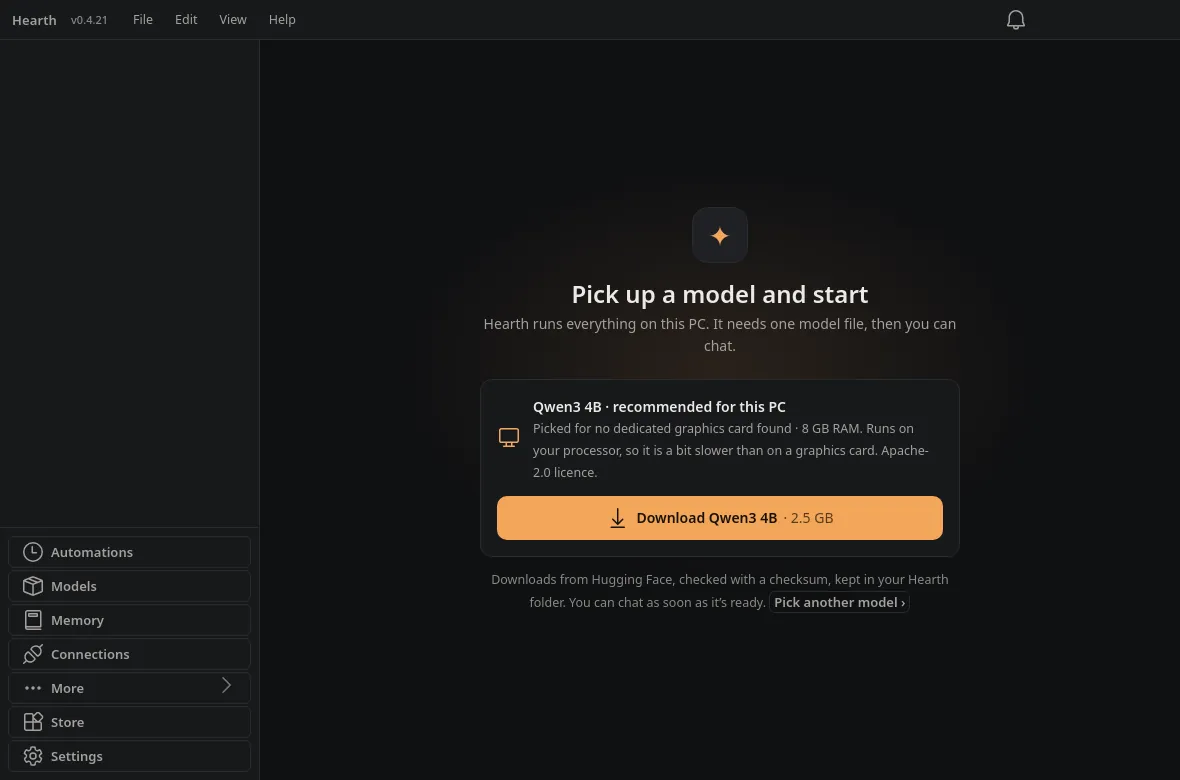
In the 0.4.21 beta, new installs do not need Ollama. Hearth bundles its own llama.cpp engine (Vulkan and CPU) and downloads a model sized to your graphics card. With 8 GB of video memory that is Qwen3 8B; with no GPU it is Qwen3 4B. Ollama is still supported: it is offered when Hearth finds it, and if you update from an older Hearth you stay on Ollama until you switch in Settings, Engine. Coming to stable with 0.5.1.
Your Ollama models
The current stable release (0.4.16) uses Ollama, locally or on another machine on your network. A model picker groups hosts, and the Models screen pulls new models with a progress bar. Ollama stays available in the beta too.
Pictures with Qwen3 VL In the 0.4.21 beta
Attach a picture and a Qwen3 VL model reads it on this PC. Vision models are never picked by first run; they replace the chat model while they run, one at a time.
Speed Doctor and a warm start In the 0.4.21 beta
Speed Doctor checks how a model feels on this PC. A warm start keeps a model ready so the first reply is not a long wait.
The ember meter
Shows graphics and system memory in use beside the model picker, warns before a model spills into slower memory, and unloads idle models after 10 minutes. In the beta the badge says graphics or memory and never shows more used than total.
Honest limits
Hearth Link (the phone link) still needs Ollama. A CUDA build of the built-in engine is not included yet. These builds have not yet been fully tested on a real Windows PC.
A model sized to your PC.
With about 8 GB of video memory, a new install of the built-in engine offers Qwen3 8B. With no GPU it offers Qwen3 4B. You can pick another model. Files are downloaded, checked with a checksum, and kept in your Hearth folder.
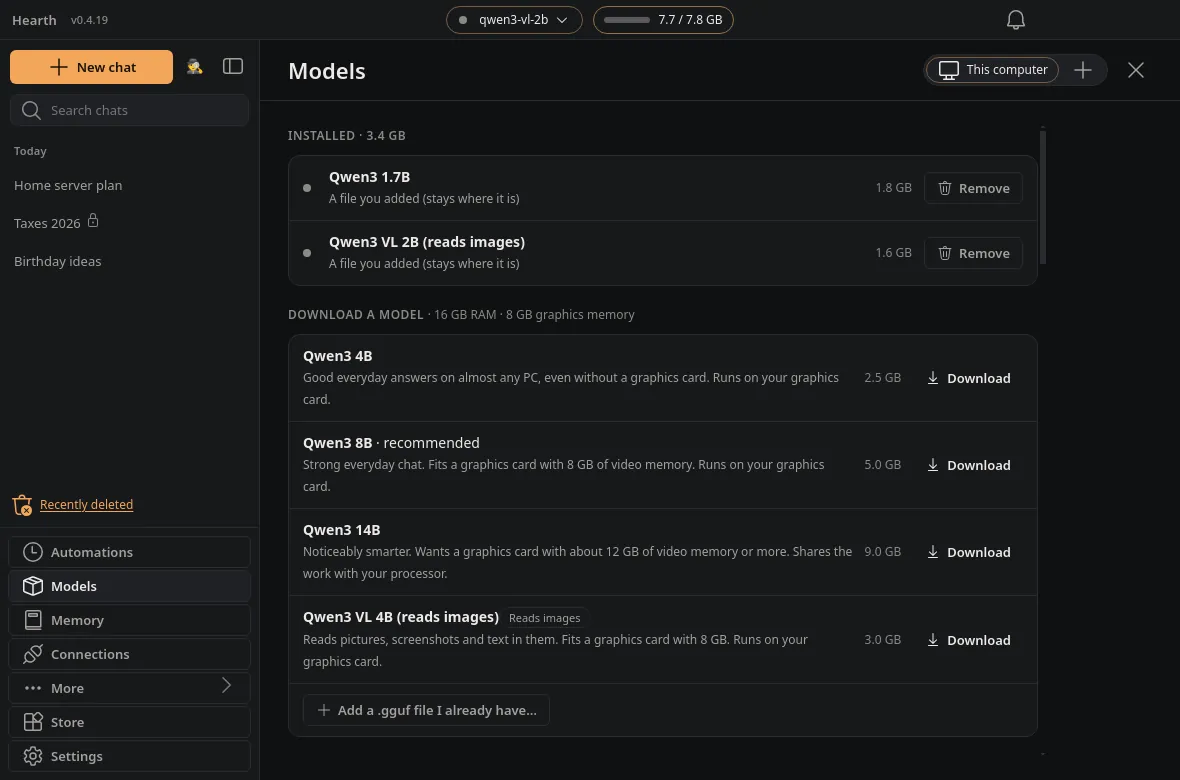
See a picture, on this PC.In the 0.4.21 beta
Models lists Qwen3 VL 4B and 2B. Sending a picture to a text-only model says so and names the vision model to download.
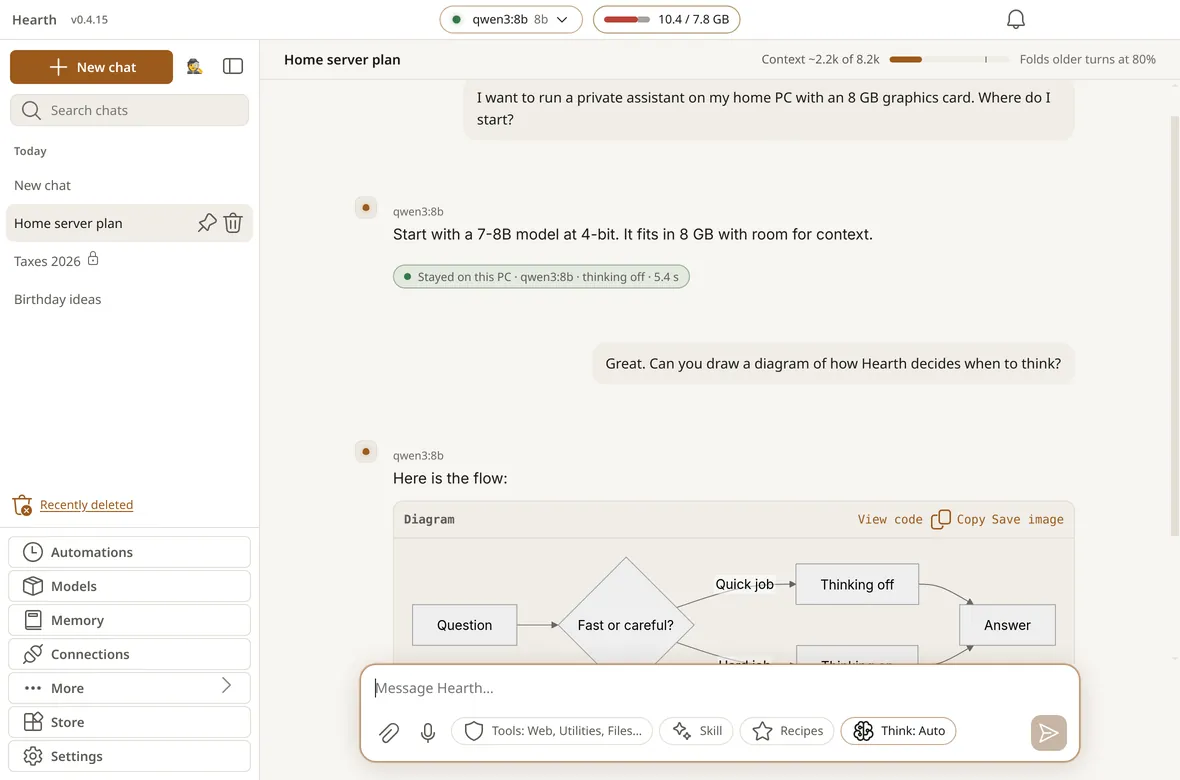
Chat with models on your PC
Roles, not model names
Pick a Brain, Quick, Coder and Vision model once. Chats and routines ask for a role, and Hearth says plainly if a stand-in is used.
Automatic thinking
Think: Auto turns reasoning off for quick jobs like rewrites and on for hard ones. It is a simple rule on your message, not another model call.
Receipts on every answer
Each reply says where it ran: Stayed on this PC, or Used the internet and which tools did. Chats sent to an internet server are marked amber.
Chat comforts
Drafts that survive a restart, a message queue while one is streaming, recipes you star to keep, diagrams drawn from mermaid code, and Recently Deleted for 30 days. Empty chats are not saved.
Readable model names
The picker shows names such as “Qwen3 8B”, with the file name on its own line.
Edit the last message
Edit appears on your latest message. A stepper through earlier edits is not in the app yet.
Quiet by default, dark or light.
Hearth ships seven themes. The default is the dark ember theme you see on this site; Light and Paper follow if you prefer them.
Tools that ask before they act
The model can use tools, and Hearth shows an approval card before anything that matters.
Web, files and utilities
Web search, a local page reader, files you allow, a calculator, dates, weather and place lookup. Each online tool is labelled as using the internet.
Wikipedia
Summaries from Wikipedia with the article link and the CC BY-SA credit on every answer.
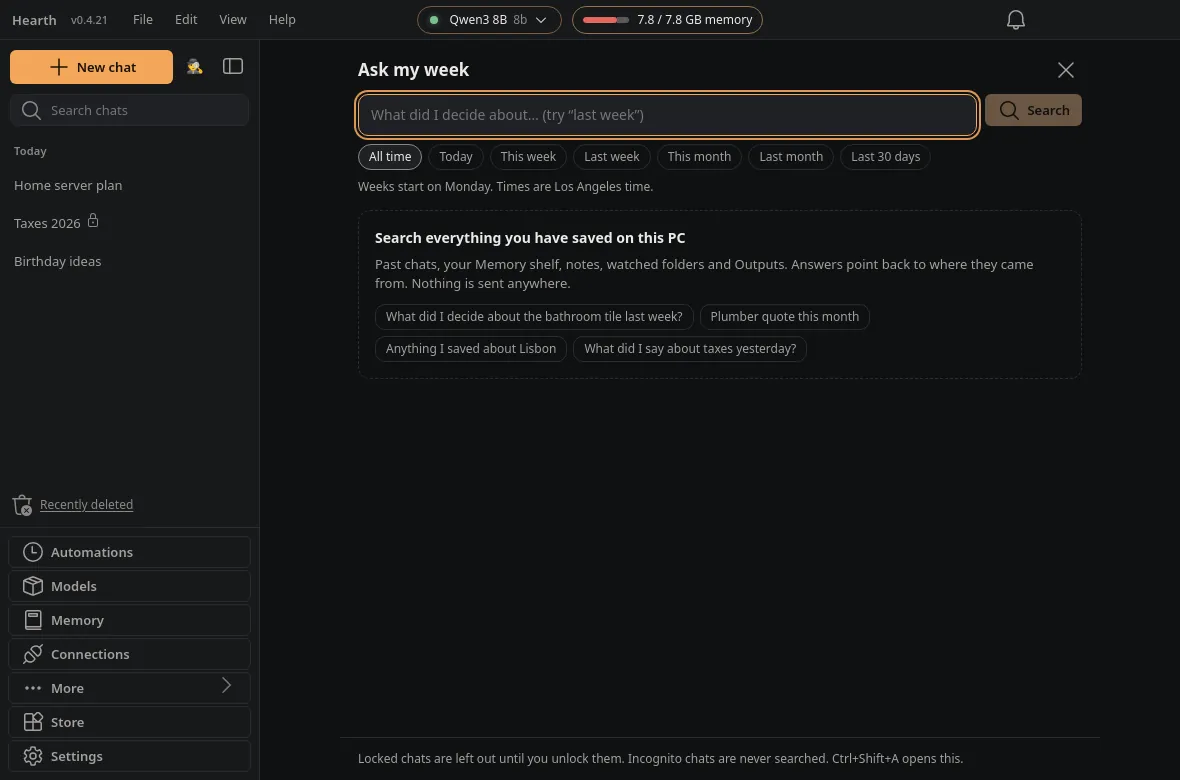
Ask my week
One local search over chats, Memory, Mistnote backup, watched folders and Outputs, with citations. A local embeddings model can blend meaning with keywords. Locked and Incognito chats stay out.
Quick bar (Alt + Space)
Rewrite, fix grammar, shorten, translate or summarize text you selected in any app. You get a preview first, then Replace, Copy or Undo. Replace-in-place works on Windows only.
Drop to ask
Drop a file on the window to summarize it, ask about it or pull out to-dos. Only the file you dropped is read.
Build your own
The tool builder makes HTTP or sandboxed JavaScript tools with first-use permissions, and exports them as shareable packs.
Ask my week
Date chips like This week and Last week, or just say “last week” in the question. If a local embeddings model is installed, results blend meaning and keywords; if not, keyword search works meanwhile.
Automations, on a short leash
Code plans every step. The model only fills small, bounded ones, with limits you can read: 120 seconds, 3 model calls, 24 runs a day.
Five starters
Morning brief, Folder watcher, Backups, Reminders and Page digest. Everything except Reminders starts off.
Approvals
The first time a routine sends, posts, deletes or moves something, it asks. “Always allow” is yours to give and to take back.
Inbox
Approvals, failed or missed runs and finished jobs collect in one place, mirrored to Telegram if you paired it.
Tidy this folder
A preview first, then Move N files. It only moves, never deletes, and you can undo for 7 days.
Reminders in chat
Say “remind me at 6 to call Nikki”. No model turn needed.
Quiet hours and pause
Scheduled runs wait until quiet hours end, and one click pauses all routines.
Every step labelled.
Each routine lists its steps as No model, Model or Approval, and what could leave your PC.
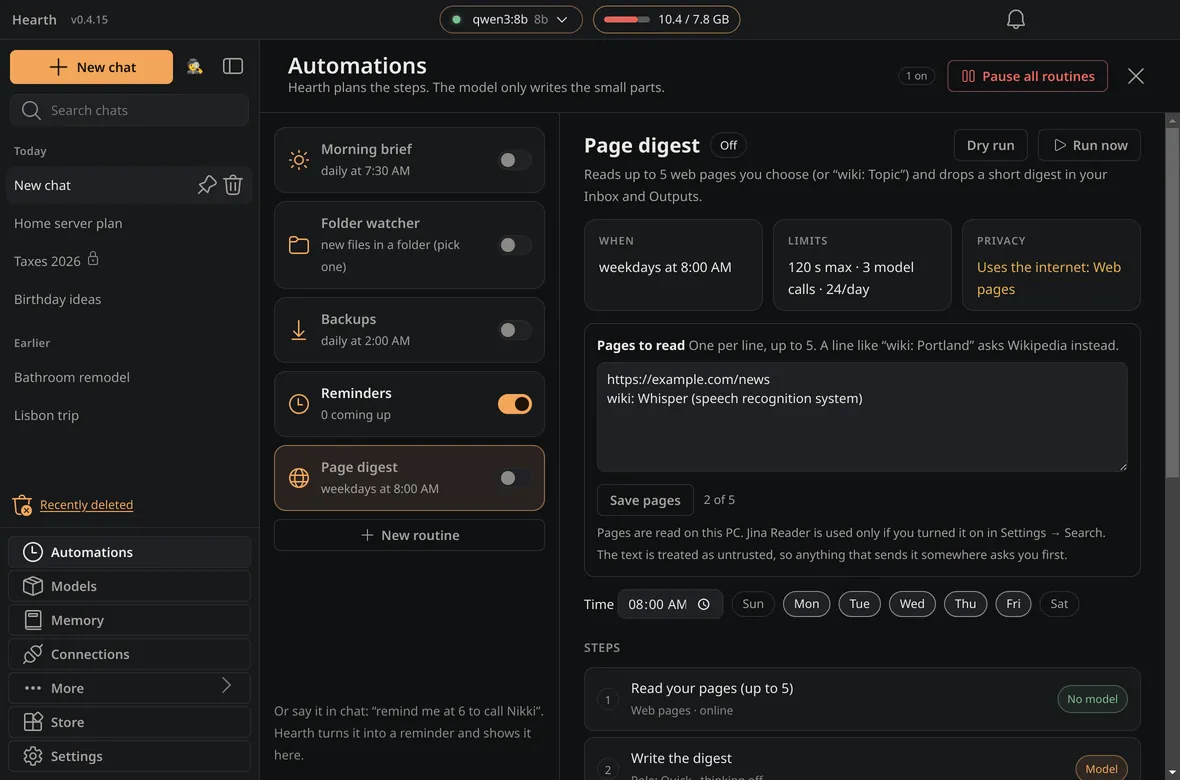
Voice typing, built in
Push-to-talk in the composer and the quick bar types your words into the box; it never sends for you.
- One click in Settings downloads the speech engine (whisper.cpp, MIT) and a model; about 157 MB for the default.
- It runs per recording, so it uses no memory while idle, and Hearth asks before it uses the microphone the first time.
- A CPU engine is the default. An optional NVIDIA engine exists; if it fails, Hearth tells you once and uses the CPU.
- Built-in voice typing is Windows-only for now. You can also point Hearth at your own Whisper server.
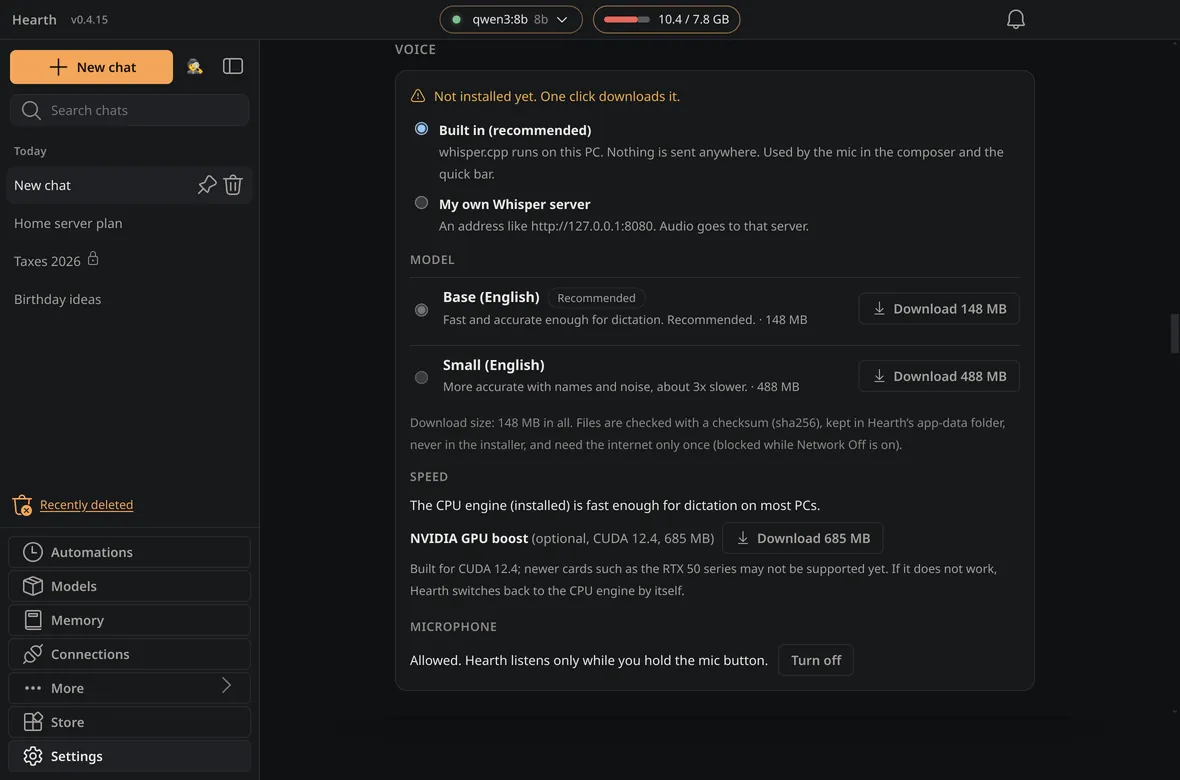
Other model servers In the 0.4.21 beta
Add LM Studio, llama.cpp’s llama-server, KoboldCpp, Jan, vLLM or a cloud API in Connections. Its models appear in the model picker.
Found on this PC
Opening Connections looks at this PC only, with read-only requests. It sends no prompt and never scans your network.
A privacy notice first
An address outside this PC and your home network counts as the internet: you must accept a notice before saving. Memory, watched folders and file search are not added to internet chats unless you switch that on.
Keys stay in the vault
API keys use Windows secure storage: never shown again, never logged, deleted with the connection. If this PC cannot encrypt, the key is refused.
One step at a time.
Connections shows one step at a time, with the long help folded away. Hearth’s own engine and Ollama stay in Models. Network Off still lets servers on this PC or your network work; internet servers are refused completely.
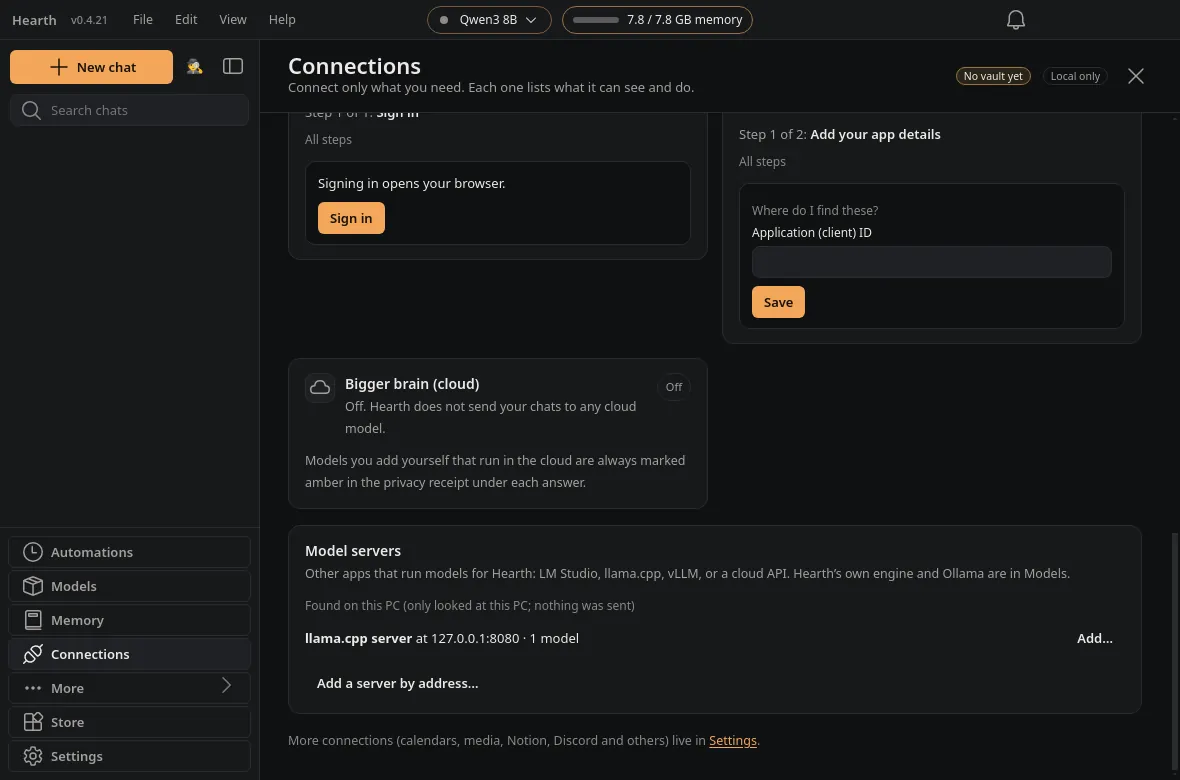
A calmer window In the 0.4.21 beta
The 0.4.21 beta adds a menu bar and the shortcuts people look for. These come to stable with 0.5.1.
Menu bar
File, Edit, View and Help sit at the top of the window. Alt+F, Alt+E, Alt+V and Alt+H also open them.
Command palette (Ctrl+K)
New chat, Ask my week, Connections, Settings and more. Ctrl+K no longer opens the Store directly.
Slash menu
Type / in the message box for tools, skills, recipes, thinking and model. The extra buttons only show while the menu is open.
Find in chat (Ctrl+F)
Highlights every hit, with a count and next and previous. Esc closes it. Nothing in the messages changes.
Text size
80% to 200% for the whole app, also in Settings, Appearance, with Ctrl+plus, Ctrl+minus and Ctrl+0. Remembered.
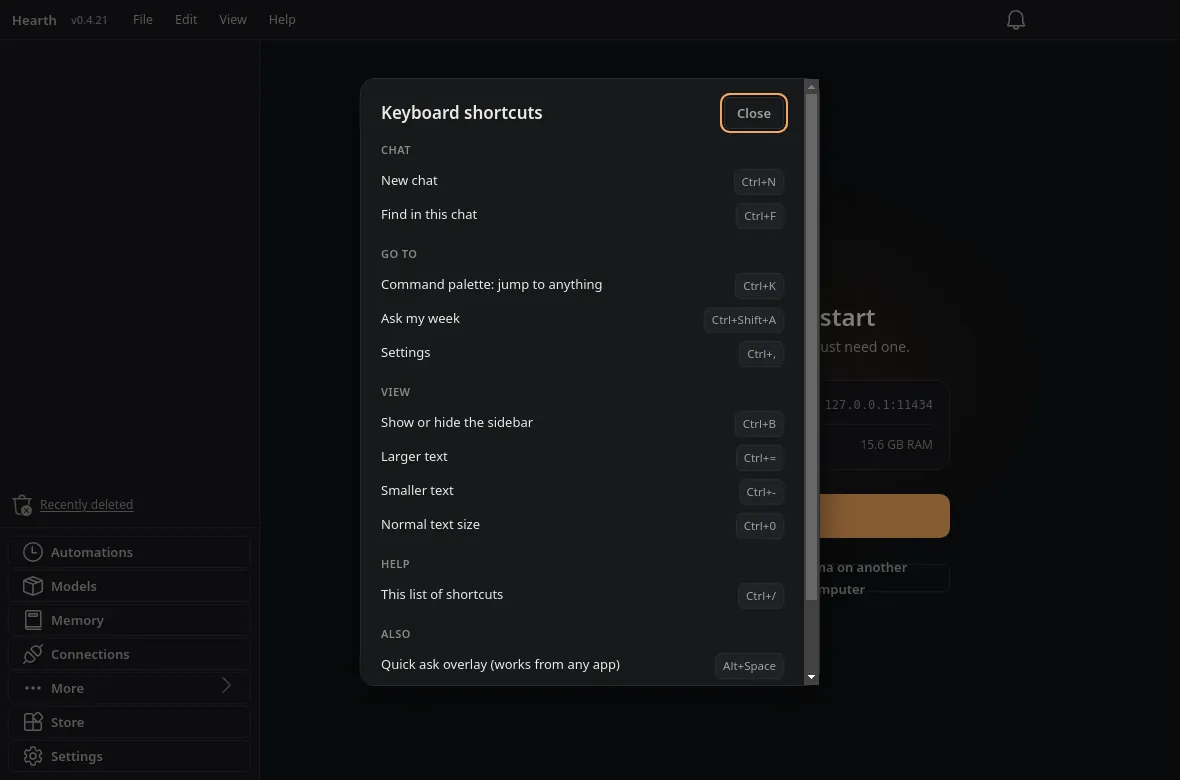
Shortcuts sheet (Ctrl+/)
The full list, from the same source as the menus and keys. Settings starts with everyday options; Engine and advanced fields come later.
Every key, in one place.
The shortcuts sheet, the menus and the keys come from one list, so they stay in agreement.
Reach it from elsewhere, if you choose
Telegram bridge
Message Hearth from your phone, including voice notes up to 10 minutes, which are turned into text on your PC. Optional; your bot key stays in the vault.
Add-on store
Signed add-ons for tools, skills and themes. More about add-ons.
Connections guide
Step-by-step checklists with status badges for Telegram, Google, email and more. The vault is asked for a secret only at the step that saves it.
Honest note: connectors such as Google, Slack and email are built but not yet proven end to end against live accounts. The release notes list exactly which. Hearth Link (the phone link) still needs Ollama.
Privacy and control
Network Off
One switch blocks every outbound connection, including update checks, the store, web tools and model downloads. The model engine on this PC or your network keeps working; internet model servers are refused.
Incognito and locked chats
Incognito keeps nothing. An optional PIN locks the app and hides locked chats. It is a privacy gate, not disk encryption.
A vault for keys
API keys and bot tokens live in Hearth’s vault, not in plain settings files.
Updates you can undo
Downloads are checked against a SHA-256, there is a history of updates, and one-click rollback if a new version misbehaves.
Memory you can see
The Memory shelf lists what Hearth keeps. Routines never write to it. Embeddings that power search stay on this PC.
Open about limits
Release notes say what was and was not verified, including that builds are unsigned and that a full Windows test is still pending.
Try it on your own PC
Free for Windows. The stable download needs Ollama. A no-Ollama beta is on the download page, and is coming to stable with 0.5.1. Builds are currently unsigned, and we say so plainly.